• already.dev
    Try Free
  • New Idea
    • Competitors
    • Feature Grid
    • Keywords
    • Pricing
  1. Medium
  2. Competitors
    Competitors
    CompetitorsFeature GridKeywordsPricingChat with AI
  3. kitaboo.com faviconKITABOO SDK

Competitors

50
muvi.com favicon
Muvi One
play.google.com favicon
The Wall Street Journal.
apps.apple.com favicon
Medium: Read & Write Stories2
apps.apple.com favicon
Medium2
dayoneapp.com favicon
Day One
selfpublishing.com favicon
COACHING + PUBLISHING
beehiiv.com favicon
beehiiv3
apps.apple.com favicon
Squarespace: Run your business
indiegraf.com favicon
Indiegraf
beehiiv.com favicon
Beehiiv4
activitypub.ghost.org favicon
Ghost
micro.blog favicon
Micro.blog
exposure.co favicon
Exposure
bullet.so favicon
Bullet.so
thinkers360.com favicon
Thinkers360 – The World's Top Experts. On Demand.
play.google.com favicon
Inkspired
wordpress.com favicon
WordPress.com
substack.com favicon
Substack
creators.wattpad.com favicon
Wattpad Creators
circle.so favicon
Circle
riverside.com favicon
Riverside.fm
play.google.com favicon
Fig - Website Builder
apps.apple.com favicon
Wizpen: Write & Read Stories
customerhub.com favicon
CustomerHub
bearblog.dev favicon
Bear Blog
differ.blog favicon
Differ
kitaboo.com favicon
KITABOO
kitaboo.com favicon
K-AI
beehiiv.com favicon
Launch your blog with beehiiv today
flipbuilder.com favicon
FlipBuilder
flipsnack.com favicon
Flipsnack
paragraph.com favicon
Paragraph
mightynetworks.com favicon
Mighty Networks
podcastle.ai favicon
Podcastle
ezycourse.com favicon
EzyCourse
contentstudio.io favicon
ContentStudio
apps.apple.com favicon
Writco – Write & Publish Books
play.google.com favicon
Inoreader
livejournal.com favicon
LiveJournal
steemit.com favicon
Steemit
squarespace.com favicon
Squarespace
joomla.org favicon
Joomla
podbean.com favicon
PodBean
Go Back
kitaboo.com favicon

KITABOO SDK

kitaboo.com
Summary

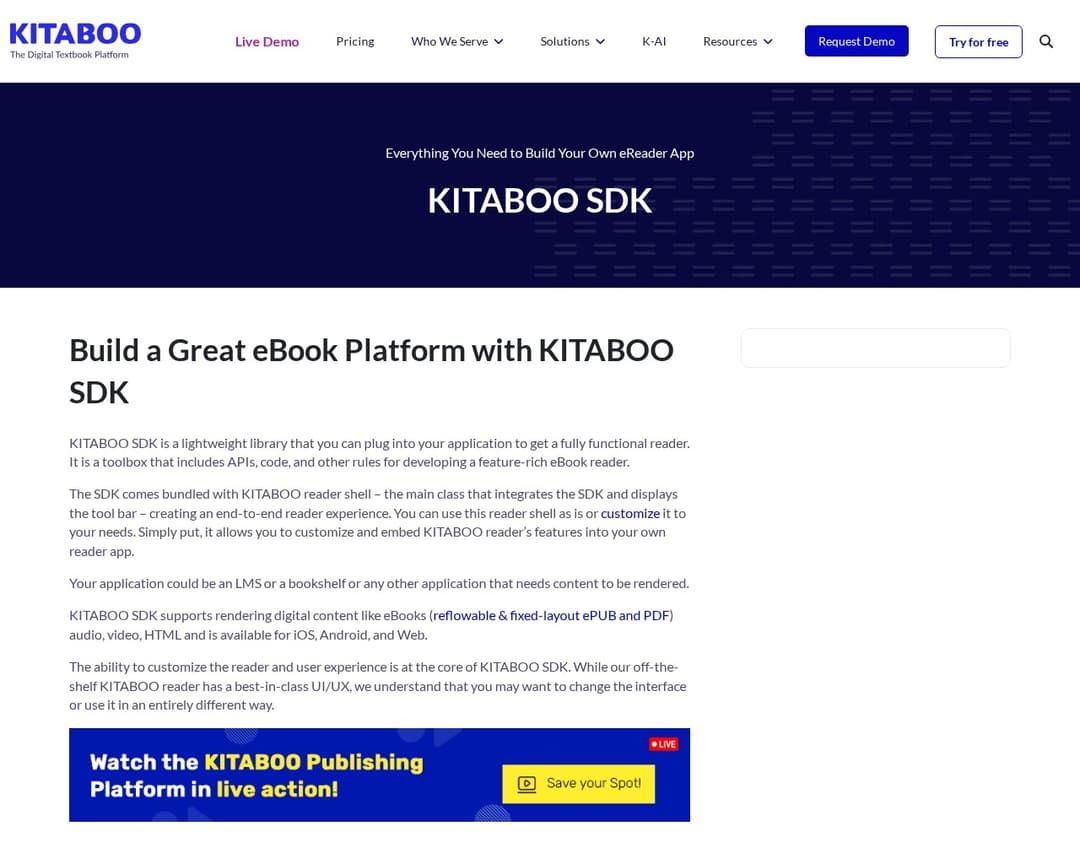
KITABOO SDK is a software development kit that allows businesses and institutions to build their own white-labeled eReader applications. It provides tools for rendering various digital content formats, including eBooks, audio, video, and HTML, across multiple platforms like iOS, Android, and Web. The SDK includes interactive features, analytics, and customization options for creating a tailored reading experience.

Feature Matches
5/13
See all

Must Have

3 of 5

Rich Text Editor

Reader Engagement Metrics

Community Feedback Tools

Distribution & Recommendation Engine

Membership & Monetization

Other

2 of 8

Mobile App Access

Search & Discovery

Publication Management

User Profiles & Following

Tags & Topics

Email Newsletter Integration

Audio Story Playback

Social Sharing & Embedding

Pricing
Custom
See all

Silver

Custom
  • Online Reader & Mobile reader Apps (Customer Branded)
  • HTML5 Online Reader
  • iOS Native App
  • Android App
  • White-labeled KITABOO eReader Player
  • KITABOO Content Publishing & Enrichment
  • KITABOO Distribution & User Management
  • Advance Analytics & Reports
  • Add-0n Features
  • B2B2C Distribution (Institutional Model)
  • Product Support (24/5) - 10 tickets per month
  • White Labeled eReader - Customer Branding
  • Offline Access (iOS and Android Player)
  • Collection support at bookshelf
  • Mark content as favourite
  • View all favourite content
  • View all downloaded content
  • Delete Single Book
  • Delete Collection
  • Advanced full text search across all assigned content
  • Content Analytics
  • User Feedback
  • Profile Management
  • Table of content
  • Table of resources
  • Bookmark
  • Thumbnail Navigation (For PDF eBook only)
  • Page History (Page Jump)
  • My Data (Notes & Highlights)
  • Highlights
  • Pen / Drawing tool
  • Sticky notes (For PDF eBook only)
  • Inline Text & Pen annotation (For PDF eBook only)
  • Full & Partial Text Search
  • Read aloud
  • Page print/Chapter Print (PDF eBook/ Reflowable)
  • Audio Sync
  • Student’s ability to key Math Equation (For PDF eBook only)
  • Single page/ Double page view
  • Content zoom (PDF style)
  • Fit content to height
  • Fit content to width
  • Reflowable: Font increase/ decrease
  • Reflowable: Scroll and Non-Scroll View
  • Reflowable: Line spacing
  • Reflowable: Margin selection
  • Reflowable: Alignment
  • Reflowable: Reading modes
  • Reflowable: Reset Default Content Setting
  • Reflowable: Continuous mode
  • Analytics For Teacher
  • Access Code Redemption
  • Teacher review of student annotation
  • Math tools (Protractor)
  • Link external/additional resources (For PDF eBook only)
  • KITABOO Native eBook conversion from PDF
  • Upload 3rd party epub (Enrichment is not applicable)
  • Multi level table of content setup for PDF eBook
  • eBook Update
  • eBook Duplicate
  • Publish to iPad/Android/HTML reader
  • Instant Preview
  • Collection Creation
  • Collection Edit/Delete
  • Upload Cover image
  • Fixed eBook (KITABOO Format using PDF) Enrichment Support
  • Embed Video (MP4)
  • Embed YouTube/Vimeo Video (Public link)
  • Embed Audio (MP3)
  • Generate and Embed Text 2 Speech (Amazon polly)
  • Embed Image
  • Embed Image Slideshow
  • Embed 3rd Party HTML Activity
  • Embed KITABOO Widgets (10 Templates)
  • Embed Inline - Text Input
  • Embed Inline Fill in the blanks (Dropdown)
  • Embed External Document (Download & View)
  • Embed Weblink
  • In Document / eBook Page Jump
  • Embed Popout Instructions
  • Go to Book (One book to another ebook)
  • Limit Printable Pages
  • Multiple Choice Activity
  • Multiple Answer Activity
  • Match the Pairs
  • Image Labeling (Text)
  • Image Labeling (Number)
  • True or False
  • Fill in the Blank (Without Option)
  • Fill in the Blank (Drop Down)
  • Flash Card
  • Short and Long Answer (Without validation)
  • User creation (Admin/Student/Teacher)
  • Edit user (First & last name)
  • Delete Users
  • Assign content to user
  • Revoke content from user
  • Create Class and mapped users
  • Edit/Delete class
  • Assign content to class
  • Revoke content from class
  • License creation
  • License Update
  • Direct Content Assignment
  • Activated Users
  • Book Distribution Details
  • Book Status
  • Book Statistics
  • User Statistics
  • Dashboard Analytics
  • No Multiple Language Support for labels
  • No Audiobook with table of content (Mp3)
  • No Videobook with table of content (Mp4)
  • No Upload 3rd party Scorm zip (Package editing not applicable)
  • No Upload 3rd party HTML interactive zip (Package editing not applicable)
  • No Bulk conversion
  • No Upload Additional metadata
  • No Embed Interactive Glossary (Audio/Video/ Image/Text)
  • No View License history
  • No Create access codes (Common, Individual & Group)
  • No Download Access code
  • No Promote student from one class to another
  • No Create District Account
  • No Create School/Customer account
  • No Update/Delete customer account
  • No LTI Setup
  • No Google Classroom Setup
  • No Canvas and Moodle Setup
  • No OneRoster Setup
  • No Order Details
  • No School & District Report
  • No Custom Reports
  • No Customization possible (Engineering Extensions)
  • No Studio Platform-Whitelable
  • No 3rd Party Integration (LMS / CRM / Ecommerce)
  • No Player SDK Access
  • No Enterprise API Access

Gold

Custom
  • Online Reader & Mobile reader Apps (Customer Branded)
  • HTML5 Online Reader
  • iOS Native App
  • Android App
  • White-labeled KITABOO eReader Player
  • KITABOO Content Publishing & Enrichment
  • KITABOO Distribution & User Management
  • Advance Analytics & Reports
  • Add-0n Features
  • B2B2C Distribution (Institutional Model)
  • Technical Support (24/7)
  • White Labeled eReader - Customer Branding
  • Offline Access (iOS and Android Player)
  • Collection support at bookshelf
  • Mark content as favourite
  • View all favourite content
  • View all downloaded content
  • Delete Single Book
  • Delete Collection
  • Advanced full text search across all assigned content
  • Content Analytics
  • User Feedback
  • Profile Management
  • Table of content
  • Table of resources
  • Bookmark
  • Thumbnail Navigation (For PDF eBook only)
  • Page History (Page Jump)
  • My Data (Notes & Highlights)
  • Highlights
  • Pen / Drawing tool
  • Sticky notes (For PDF eBook only)
  • Inline Text & Pen annotation (For PDF eBook only)
  • Full & Partial Text Search
  • Read aloud
  • Page print/Chapter Print (PDF eBook/ Reflowable)
  • Audio Sync
  • Student’s ability to key Math Equation (For PDF eBook only)
  • Single page/ Double page view
  • Content zoom (PDF style)
  • Fit content to height
  • Fit content to width
  • Reflowable: Font increase/ decrease
  • Reflowable: Scroll and Non-Scroll View
  • Reflowable: Line spacing
  • Reflowable: Margin selection
  • Reflowable: Alignment
  • Reflowable: Reading modes
  • Reflowable: Reset Default Content Setting
  • Reflowable: Continuous mode
  • Multiple Language Support for labels
  • Analytics For Teacher
  • Access Code Redemption
  • Teacher review of student annotation
  • Math tools (Protractor)
  • Link external/additional resources (For PDF eBook only)
  • KITABOO Native eBook conversion from PDF
  • Upload 3rd party epub (Enrichment is not applicable)
  • Multi level table of content setup for PDF eBook
  • eBook Update
  • eBook Duplicate
  • Publish to iPad/Android/HTML reader
  • Instant Preview
  • Collection Creation
  • Collection Edit/Delete
  • Upload Cover image
  • Audiobook with table of content (Mp3)
  • Videobook with table of content (Mp4)
  • Upload 3rd party Scorm zip (Package editing not applicable)
  • Upload 3rd party HTML interactive zip (Package editing not applicable)
  • Bulk conversion
  • Upload Additional metadata
  • Fixed eBook (KITABOO Format using PDF) Enrichment Support
  • Embed Video (MP4)
  • Embed YouTube/Vimeo Video (Public link)
  • Embed Audio (MP3)
  • Generate and Embed Text 2 Speech (Amazon polly)
  • Embed Image
  • Embed Image Slideshow
  • Embed 3rd Party HTML Activity
  • Embed KITABOO Widgets (10 Templates)
  • Embed Inline - Text Input
  • Embed Inline Fill in the blanks (Dropdown)
  • Embed External Document (Download & View)
  • Embed Weblink
  • In Document / eBook Page Jump
  • Embed Popout Instructions
  • Go to Book (One book to another ebook)
  • Limit Printable Pages
  • Embed Interactive Glossary (Audio/Video/ Image/Text)
  • Multiple Choice Activity
  • Multiple Answer Activity
  • Match the Pairs
  • Image Labeling (Text)
  • Image Labeling (Number)
  • True or False
  • Fill in the Blank (Without Option)
  • Fill in the Blank (Drop Down)
  • Flash Card
  • Short and Long Answer (Without validation)
  • User creation (Admin/Student/Teacher)
  • Edit user (First & last name)
  • Delete Users
  • Assign content to user
  • Revoke content from user
  • Create Class and mapped users
  • Edit/Delete class
  • Assign content to class
  • Revoke content from class
  • License creation
  • License Update
  • Direct Content Assignment
  • View License history
  • Create access codes (Common, Individual & Group)
  • Download Access code
  • Promote student from one class to another
  • Create District Account
  • Create School/Customer account
  • Update/Delete customer account
  • LTI Setup
  • Google Classroom Setup
  • Canvas and Moodle Setup
  • OneRoster Setup
  • Activated Users
  • Book Distribution Details
  • Book Status
  • Book Statistics
  • User Statistics
  • Dashboard Analytics
  • Order Details
  • School & District Report
  • Custom Reports
  • Customization possible (Engineering Extensions)
  • Studio Platform-Whitelable
  • 3rd Party Integration (LMS / CRM / Ecommerce)
  • Player SDK Access
  • Enterprise API Access
Rationale

KITABOO SDK is primarily an eReader SDK for building custom eReader apps, which aligns with the concept of an online publishing platform by providing tools for content consumption. While it doesn't directly offer a 'distribution & recommendation engine' or 'membership & monetization' in the same way Medium does, it provides the underlying technology for creating platforms that could incorporate these features. It explicitly mentions 'In-built Interactive Tools' like highlights, notes, bookmarks, and search, which align with 'rich-text-editor' and 'community-feedback-tools'. It also offers 'Analytics' for user behavior and consumption patterns, matching 'reader-engagement-metrics', and supports 'Mobile App Access'. The platform also mentions 'White-labelled App' and 'Reader Customization', indicating flexibility for building a branded reading experience.

KITABOO SDK
Found via SearchPaid
See all
best alternatives to competitor product 2024
competitor vs alternative comparison honest review
GossipPaid
See all

Best alternatives to [Product] in 2024?

Reddit·tech_enthusiast·2d ago·+142

I've been using Alternative A for 6 months now and it's been fantastic. The pricing is much better and the features are actually more robust than what [Product] offers.

Show HN: We built a better [Product]

Hacker News·startup_founder·5d ago·+89
After struggling with [Product]'s limitations, we decided to build our own solution.

It handles edge cases much better and the API is actually documented properly.

Check it out at our site.

[Product] vs Competitor B - which one should I choose?

Reddit·confused_buyer·Nov 30·+67

Honestly, after trying both, Competitor B wins hands down. Better customer support, cleaner interface, and they don't nickel and dime you for every feature.

Why we migrated away from [Product]

Hacker News·cto_mike·Nov 27·+234
The breaking point was when they changed their API without notice. We lost 3 days of productivity. Solution C has been rock solid for us since we switched.
Links
Home Page