Competitors
12
🚀
Discover 50+ More Competitors
This is just the tip of the iceberg. Unlock comprehensive insights into your competitive landscape.
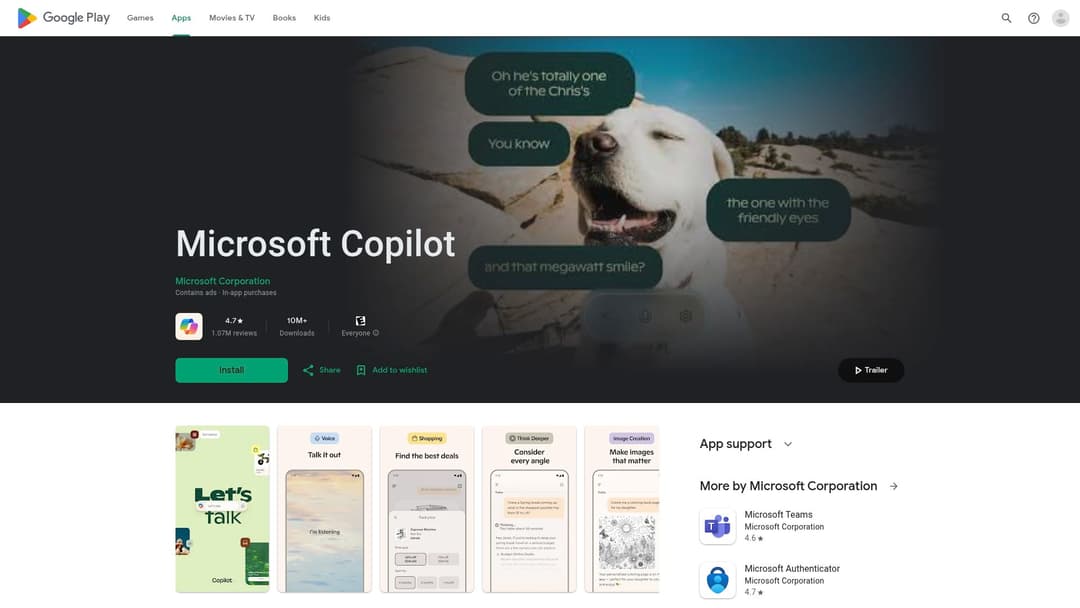
Unlock Full ReportMicrosoft Copilot is an AI companion that leverages advanced AI models to assist users with a wide range of productivity tasks, including content creation, summarization, image generation, and information retrieval. It integrates with Microsoft 365 applications and offers features for personal and professional use, with a focus on enhancing daily productivity and communication.
5 of 5
Guided Tool Interface
Creative Presets & Styles
Multi-Model Integration
Tool Catalog & Categories
User Authentication & Subscriptions
6 of 10
Search & Filter
Favorites & History
Export & Integrations
Multi-Language Support
Mobile Responsive Design
In-App Resources & Tutorials
Custom Prompt Templates
Collaboration & Sharing
Usage Analytics
API Access & Developer Portal
Microsoft Copilot is a strong match for the 'Word.Studio AI Playground' concept. It offers a guided interface for various AI tasks, including text generation, image creation, and summarization, aligning with the 'Guided Tool Interface' feature. The platform leverages multiple AI models (OpenAI and Microsoft AI models) for different tasks, fulfilling the 'Multi-Model Integration' requirement. While not explicitly stated as '150+ tools', the breadth of capabilities (writing, image generation, translation, summarization, planning) suggests a comprehensive 'Tool Catalog & Categories'. The presence of 'Copilot Pro subscribers' and 'Microsoft 365 Personal or Family subscription' indicates 'User Authentication & Subscriptions'. The ability to search by image and the general nature of an AI assistant imply 'Search & Filter'. The mention of 'past inputs' and 'return to a previous chat' suggests 'Favorites & History'. The integration with Microsoft 365 apps (Word, Excel, PowerPoint) and the ability to 'download results in common formats' (implied by document editing) aligns with 'Export & Integrations'. The translation and proofreading across multiple languages directly supports 'Multi-Language Support'. The Google Play Store listing confirms it's a mobile application, indicating 'Mobile Responsive Design'. Finally, the 'In-App Resources & Tutorials' is supported by the 'Helpful rewrites' and 'spark inspiration' aspects, which guide users on how to use the tool effectively.
I've been using Alternative A for 6 months now and it's been fantastic. The pricing is much better and the features are actually more robust than what [Product] offers.
It handles edge cases much better and the API is actually documented properly.
Check it out at our site.
Honestly, after trying both, Competitor B wins hands down. Better customer support, cleaner interface, and they don't nickel and dime you for every feature.