• already.dev
    Try Free
  • New Idea
    • Competitors
    • Feature Grid
    • Keywords
    • Pricing
  1. Loom
  2. Competitors
    Competitors
    CompetitorsFeature GridKeywordsPricingChat with AI
  3. getsharex.com faviconShareX

Competitors

50
vimeo.com favicon
Vimeo3
ringcentral.com favicon
RingCentral Video
atlassian.com favicon
Confluence
livestorm.co favicon
Livestorm
bigmarker.com favicon
BigMarker
atlassian.com favicon
Loom
apps.apple.com favicon
Zight
apps.apple.com favicon
Zoom Workplace2
screendesk.io favicon
Screendesk
descript.com favicon
Descript5
hippovideo.io favicon
Hippo Video
supernormal.com favicon
Supernormal
home.everwebinar.com favicon
EverWebinar
atlassian.com favicon
Jira Software
cleanshot.com favicon
CleanShot X
neeto.com favicon
NeetoRecord
microsoft.com favicon
Microsoft Teams2
screen-recorder.com favicon
ScreenPal
thefusebase.com favicon
Nimbus Capture
vidcast.io favicon
Vidcast
webex.com favicon
Webex Vidcast
corp.kaltura.com favicon
Kaltura Video Portal
guidde.com favicon
Guidde
voicethread.com favicon
VoiceThread
apowersoft.com favicon
Apowersoft
apps.apple.com favicon
Loom: Screen Recorder
vmaker.com favicon
Vmaker AI
tldv.io favicon
Recording & Transcription
clarityflow.com favicon
Clarityflow
vimeo.com favicon
Vimeo Enterprise
vouchfor.com favicon
Vouch
wistia.com favicon
Wistia
trueconf.com favicon
TrueConf Enterprise
vimeo.com favicon
Magisto
vimeo.com favicon
Vimeo OTT
awesomescreenshot.com favicon
Awesome Screenshot
komododecks.com favicon
Komodo
ziggeo.com favicon
Ziggeo
microsoft.com favicon
Microsoft Stream
sharetheboard.com favicon
ShareTheBoard
dropbox.com favicon
Dropbox
tldv.io favicon
tl;dv
Go Back
getsharex.com favicon

ShareX

getsharex.com
Summary

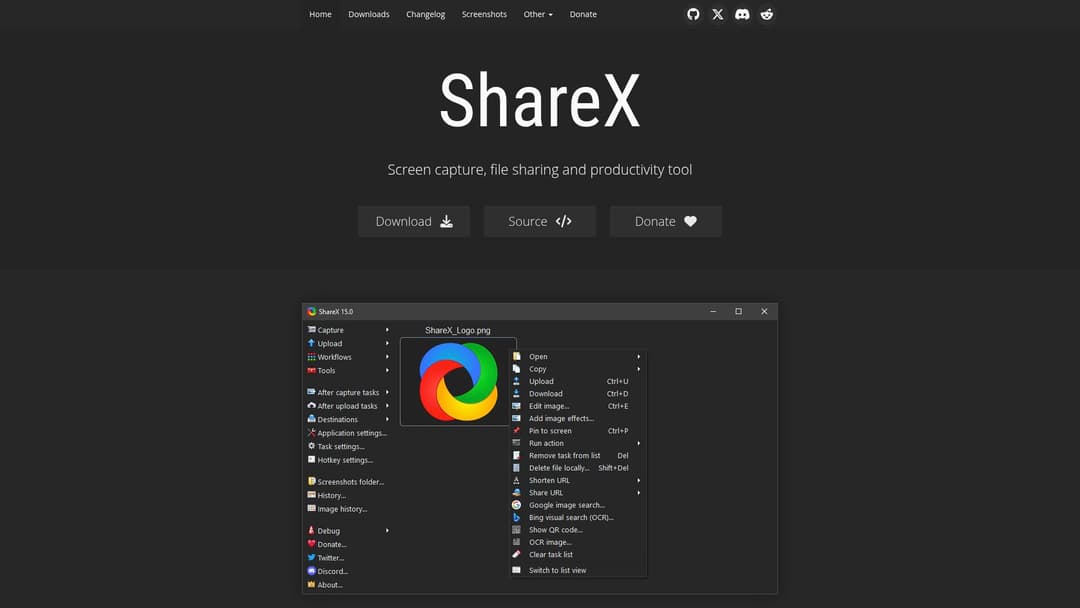
ShareX is a free and open-source screen capture, file sharing, and productivity tool for Windows. It allows users to capture or record any area of their screen, upload various file types to numerous destinations, and offers a wide range of image editing, annotation, and automation features.

Feature Matches
3/16
See all

Must Have

3 of 5

Screen Recording

Instant Shared Links

Basic Video Editing

Camera Recording

Viewer Analytics

Other

0 of 11

Team Library

Timestamped Comments

Emoji Reactions

Auto-Generated Transcripts

Slack Integration

Gmail Integration

Mobile App Support

Custom Branding

Password Protection

Enterprise Security & Compliance

API Access

Rationale

ShareX is primarily a screenshot tool, but it explicitly offers screen recording and the ability to share files instantly. While it doesn't focus on camera recording or advanced video collaboration features like Loom, its core functionality of screen capture and immediate sharing aligns with some of Loom's must-have features. The 'Actions' section also indicates basic video editing capabilities through external tools like FFmpeg.

ShareX
Found via GooglePaid
See all
best alternatives to competitor product 2024
competitor vs alternative comparison honest review
GossipPaid
See all

Best alternatives to [Product] in 2024?

Reddit·tech_enthusiast·2d ago·+142

I've been using Alternative A for 6 months now and it's been fantastic. The pricing is much better and the features are actually more robust than what [Product] offers.

Show HN: We built a better [Product]

Hacker News·startup_founder·5d ago·+89
After struggling with [Product]'s limitations, we decided to build our own solution.

It handles edge cases much better and the API is actually documented properly.

Check it out at our site.

[Product] vs Competitor B - which one should I choose?

Reddit·confused_buyer·Jan 28·+67

Honestly, after trying both, Competitor B wins hands down. Better customer support, cleaner interface, and they don't nickel and dime you for every feature.

Why we migrated away from [Product]

Hacker News·cto_mike·Jan 25·+234
The breaking point was when they changed their API without notice. We lost 3 days of productivity. Solution C has been rock solid for us since we switched.
Links
Home Page
Downloads
Changelog
Screenshots
Image effects
Actions
Dev builds
Keybinds
Scrolling screenshot
Command line arguments
Translation
OCR